 Web Scraper Lite
How to copy a size chart from a clothing store into a spreadsheet
Comparing sizes across brands, preparing product listings or just keeping your own measurements handy all start with getting the size chart into a spreadsheet. Clothing sites make that surprisingly hard. Here is why, and how to do it cleanly.
Why size charts are hard to copy
A size chart looks like a simple grid, but on most fashion sites it is anything but:
- It lives in a pop-up. The chart only exists on the page after you click "Size guide", and it disappears when you click away.
- It is often inside an iframe. Many stores load the size guide from a separate page or a sizing service embedded in a frame. Selecting text across the frame boundary rarely works.
- It is laid out column by column. Instead of an HTML table, each size is a vertical column of
<div>boxes (XS, then its bust, waist and hip). Copying produces a single column of numbers with no structure. - It has two header rows. Letter sizes (XS, S, M) sit above numeric sizes (0, 2–4, 6–8), and pasting breaks the link between them.
Here is what a typical chart looks like on screen:
| Size | XS | S | M | L |
|---|---|---|---|---|
| US | 0 | 2–4 | 6–8 | 10–12 |
| Bust (cm) | 80 | 84–88 | 92–96 | 100–104 |
| Waist (cm) | 62 | 66–70 | 74–78 | 82–86 |
| Hip (cm) | 88 | 92–96 | 100–104 | 108–112 |
(Example values for illustration, not any particular brand.) The goal is to get this into a spreadsheet with "XS 0", "S 2–4" and so on as column headers, and the measurements underneath.
Step by step
- Open the product page and click the size guide link. It is usually labelled "Size guide", "Size chart" or "Find your size" near the size buttons.
- Choose the unit and region on the site. If the chart has cm / inches or US / EU / UK tabs, select the one you want. The extension exports what is shown.
- Click the Web Scraper Lite icon. If the side panel was already open, press the rescan button next to Data sources so it picks up the pop-up.
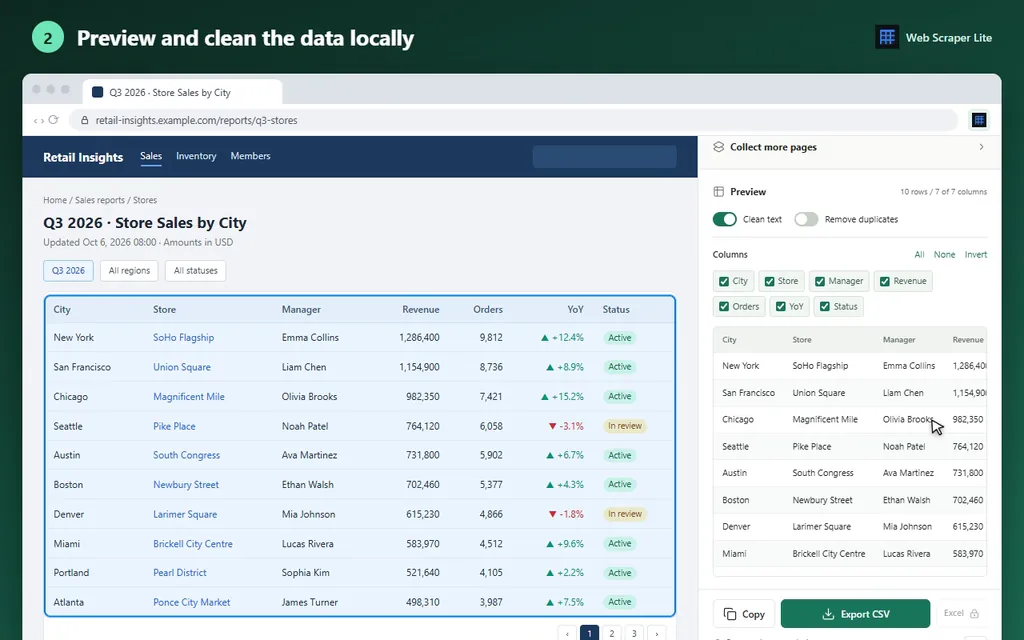
- Select the size chart. Charts inside pop-ups and embedded frames are listed too. Check the preview: letter and numeric sizes are combined into one header, such as "XS 0".
- Click Copy or Export CSV. Paste into Google Sheets or Excel, or open the CSV.
Web Scraper Lite reads tables inside iframes and pop-ups and recognises column-by-column div charts, which is what most size guides are. Everything is processed in your browser and nothing is sent anywhere.
Want sizes as rows instead?
For comparing brands it is often easier to have one row per size. Flip the table after pasting:
- Excel: select the pasted range, copy it, click an empty cell, then Home > Paste > Transpose (or Paste Special and tick Transpose).
- Google Sheets: copy the range, right-click an empty cell and choose Paste special > Transposed, or use
=TRANSPOSE(A1:E4).
Tips for working with size charts
- Split ranges like "84–88" into min and max. In Excel 365 or Google Sheets,
=SPLIT(B2,"–")(Sheets) or=TEXTSPLIT(B2,"–")(Excel 365) gives two cells. Note the en dash; some sites use a normal hyphen. - Convert inches to cm with
=B2*2.54if the site only offers inches. - Comparing brands? Put each brand's chart on its own sheet with the same row order (bust, waist, hip), then build a summary sheet with lookups.
- Size chart with dropdown tabs (tops / bottoms / dresses): each tab is a different chart. Click the tab, rescan, export, and repeat.
When it won't work
- The chart is an image. Some stores upload the size guide as a picture. No table extractor can read text inside an image; use an OCR tool instead, such as Google Lens or Excel's Data from Picture feature, and check the numbers afterwards.
- The chart is a PDF. Browser extensions can't run inside Chrome's PDF viewer. Download the PDF and use a PDF-to-Excel tool, or Excel's Data > Get Data > From File > From PDF where available.
- A "fit finder" quiz that recommends one size doesn't contain a chart to extract.
Free, no account, and nothing leaves your browser.
Add Web Scraper Lite to Chrome – freeRelated: if the chart has non-English text and looks garbled in Excel, see fixing garbled CSV characters. For other tables, see exporting a website table to Excel.
FAQ
Why does pasting a size chart give me one column of numbers?
Most size charts are built column by column from div elements instead of an HTML table, so there are no rows to preserve. A tool that recognises column-oriented charts rebuilds the grid.
Can it read a size chart in a pop-up?
Yes. Open the size guide first, then click the extension icon or rescan. Charts in pop-ups and in embedded frames (iframes) are detected.
How are letter and numeric sizes handled?
When a chart has two header rows, such as XS above 0, they are combined into one header like "XS 0" so each column stays labelled.
What if the size chart is an image?
Then the text is not on the page as text, and a table extractor can't read it. Use an OCR tool such as Google Lens or Excel's Data from Picture.